










Whether you're tracking inventory in a warehouse, monitoring assets across multiple facilities, or managing work-in-progress on a manufacturing floor, an RFID tag is only valuable if it's used correctly.
Simply attaching an RFID tag to an item doesn't automatically improve visibility or inventory accuracy. Successful RFID deployments require proper tag selection, placement, encoding, verification, and integration with your business systems.
In this guide, we'll explain how to use RFID tags effectively—from printing and encoding to reading and managing RFID data throughout your operation.
What is an RFID Tag?
An RFID (Radio Frequency Identification) tag is a small electronic device consisting of a microchip and antenna. Unlike traditional barcodes, RFID tags communicate wirelessly with RFID readers using radio waves.
Each tag contains a unique identifier that can also be associated with product information, asset records, work orders, or inventory data inside your software systems.
Depending on your application, RFID tags may be:
- Passive RFID tags
- Active RFID tags
- Battery-assisted passive (BAP) tags
- On-metal RFID tags
- Printable RFID labels
- Durable RFID asset tags
For most supply chain, retail, manufacturing, and warehouse applications, passive UHF RAIN RFID tags are the most common choice.
The Power of RFID
RFID gives businesses real-time, automatic tracking without manual scans. Instead of counting items by hand, RFID systems capture data on multiple tags simultaneously as products move through a facility—streamlining workflows and cutting errors. In real-world deployments, studies show RFID can increase inventory accuracy by up to 13% compared with traditional tracking methods.
Step 1: Select the Right RFID Tag
Before using an RFID tag, choose one designed for your environment.
Consider factors such as:
- Material being tagged (metal, plastic, cardboard, wood)
- Indoor or outdoor use
- Temperature exposure
- Chemical resistance
- Read distance requirements
- Tag size
- Memory requirements
Using the wrong tag can significantly reduce read performance.
Step 2: Print and Encode the RFID Tag
Most modern RFID labels are printed and encoded at the same time.
During this process, software sends:
- Human-readable information
- Barcodes or QR Codes
- EPC data
- Additional RFID memory (when required)
The RFID printer writes data to the chip while simultaneously printing the visible label.
Encoding and printing together ensures the printed information matches the RFID data stored on the chip.
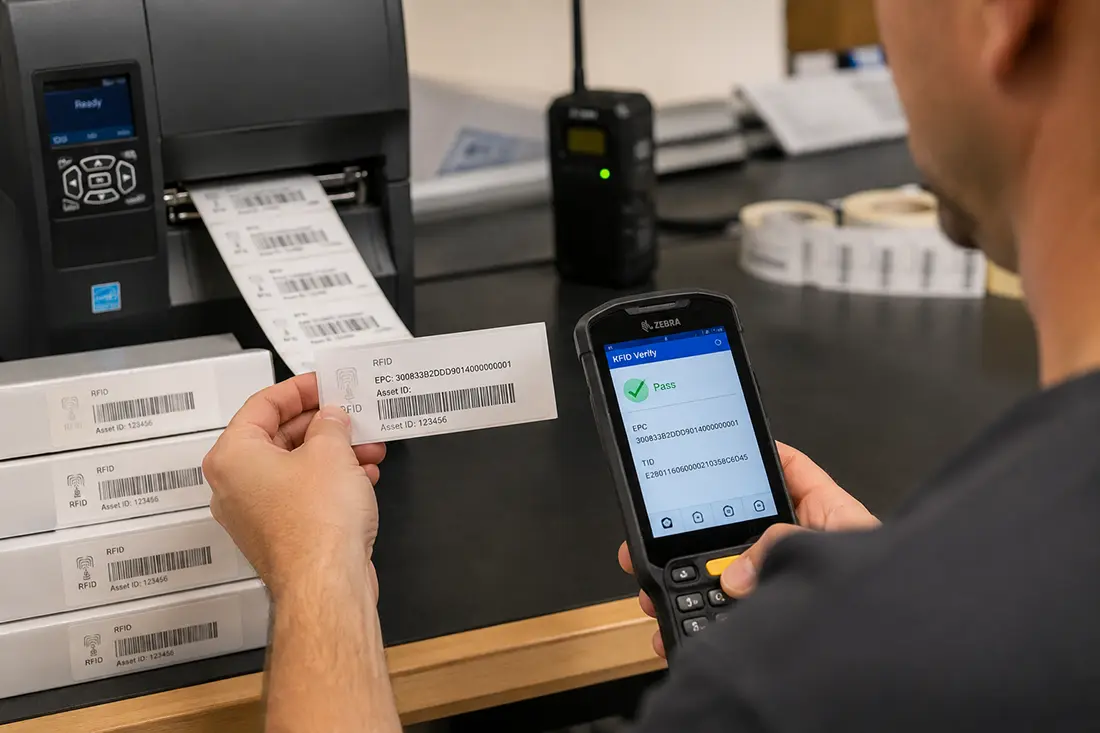
Step 3: Verify the RFID Tag
Never assume an RFID tag encoded successfully.
Verification confirms that:
- The RFID chip was encoded correctly.
- The EPC matches the printed label.
- The barcode matches the RFID data.
- The chip is readable.
- No defective tags are used.
Many organizations automatically verify every RFID label during printing to prevent shipping errors and reduce costly rework.
Step 4: Apply the RFID Tag Correctly
Tag placement is one of the biggest factors affecting RFID performance.
When applying RFID tags:
- Avoid covering the antenna.
- Keep tags flat whenever possible.
- Follow manufacturer spacing recommendations.
- Use on-metal tags for metal assets.
- Position tags consistently across products.
- Test placement before large-scale deployment.
Even a high-quality RFID tag may perform poorly if placed incorrectly.
Step 5: Read the RFID Tag
Once applied, RFID tags can be read using several types of hardware.
Common options include:
Handheld RFID Readers
Ideal for:
- Cycle counting
- Asset tracking
- Finding missing inventory
- Warehouse audits
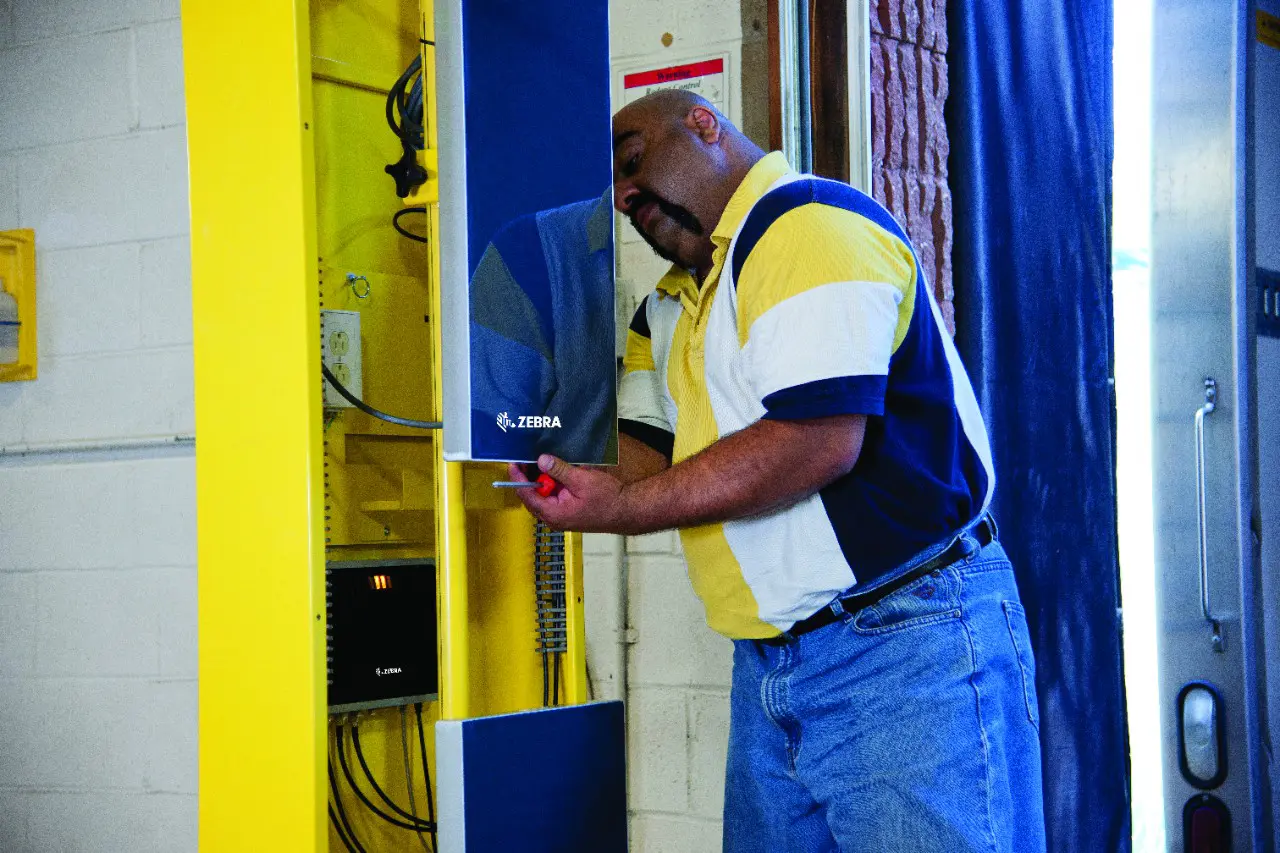
- Fixed RFID Readers
Installed at:
- Dock doors
- Conveyor systems
- Manufacturing cells
- Storage areas
These automatically capture RFID reads as tagged items move through the facility.
RFID Portals
RFID portals create controlled read zones that automatically identify items entering or leaving specific locations.
Step 6: Connect RFID Data to Your Software
The RFID tag itself only contains an identifier.
The real value comes from connecting RFID reads to your business applications.
RFID software can associate each tag with:
- Inventory records
- ERP systems
- Warehouse Management Systems (WMS)
- Manufacturing Execution Systems (MES)
- Asset Management software
- CMMS platforms
- Custom databases
This allows every RFID read to instantly update inventory, asset locations, production status, or shipment information.
Step 7: Monitor and Analyze RFID Activity
Once RFID data begins flowing into your software, organizations can automate workflows such as:
- Inventory updates
- Shipping verification
- Order validation
- Work-in-progress tracking
- Asset utilization
- Equipment location
- Loss prevention
- Cycle counting
- Compliance reporting
Modern RFID platforms also provide dashboards, alerts, reporting, and analytics that transform raw RFID reads into actionable operational insights.
Common Mistakes When Using RFID Tags
Many RFID issues can be avoided with proper planning.
Some of the most common mistakes include:
- Choosing the wrong RFID tag type
- Placing tags too close to metal or liquids
- Skipping RFID verification
- Inconsistent tag placement
- Using outdated RFID printers
- Failing to integrate RFID with business software
- Ignoring read-zone testing before deployment
- Simple scanning errors
Avoiding these issues can significantly improve read accuracy and return on investment.
Best Practices for RFID Success
To maximize RFID performance:
- Standardize tag placement across products.
- Test multiple tag types before deployment.
- Verify every encoded RFID label.
- Maintain consistent printer calibration.
- Integrate RFID data with existing business systems.
- Train employees on proper tagging procedures.
- Regularly test reader coverage and read accuracy.
A well-designed RFID system delivers more reliable data, greater automation, and better operational visibility.
Interested in RFID?
An RFID tracking system can help organizations of all sizes improve their supply chain efficiency. Contact the CYBRA team to schedule a demo today.