


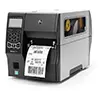








CYBRA Enables SATO Printer Integration into Manhattan Associates WMOS
CYBRA Enables SATO Printer Integration into Manhattan Associates WMOS Industry Leaders Bring Bilingual Labeling Solution To the Japanese Market. CYBRA Corporation, developer of award-winning MarkMagic® Barcode Labels, RFID Tags, Electronic Forms, and Report Writing...
How Accurate is the Average Retailer’s Inventory?
How Accurate is the Average Retailer's Inventory? Retail Inventory Accuracy Did you know the average retail store’s inventory accuracy is about 65%? That’s according to the Auburn University RIFD Lab. That sounds like a ridiculously low number, right? Most...
5 RFID Statistics Manufacturers Need to Know